Piqelo Monitors.
Full Piqelo Review · US market

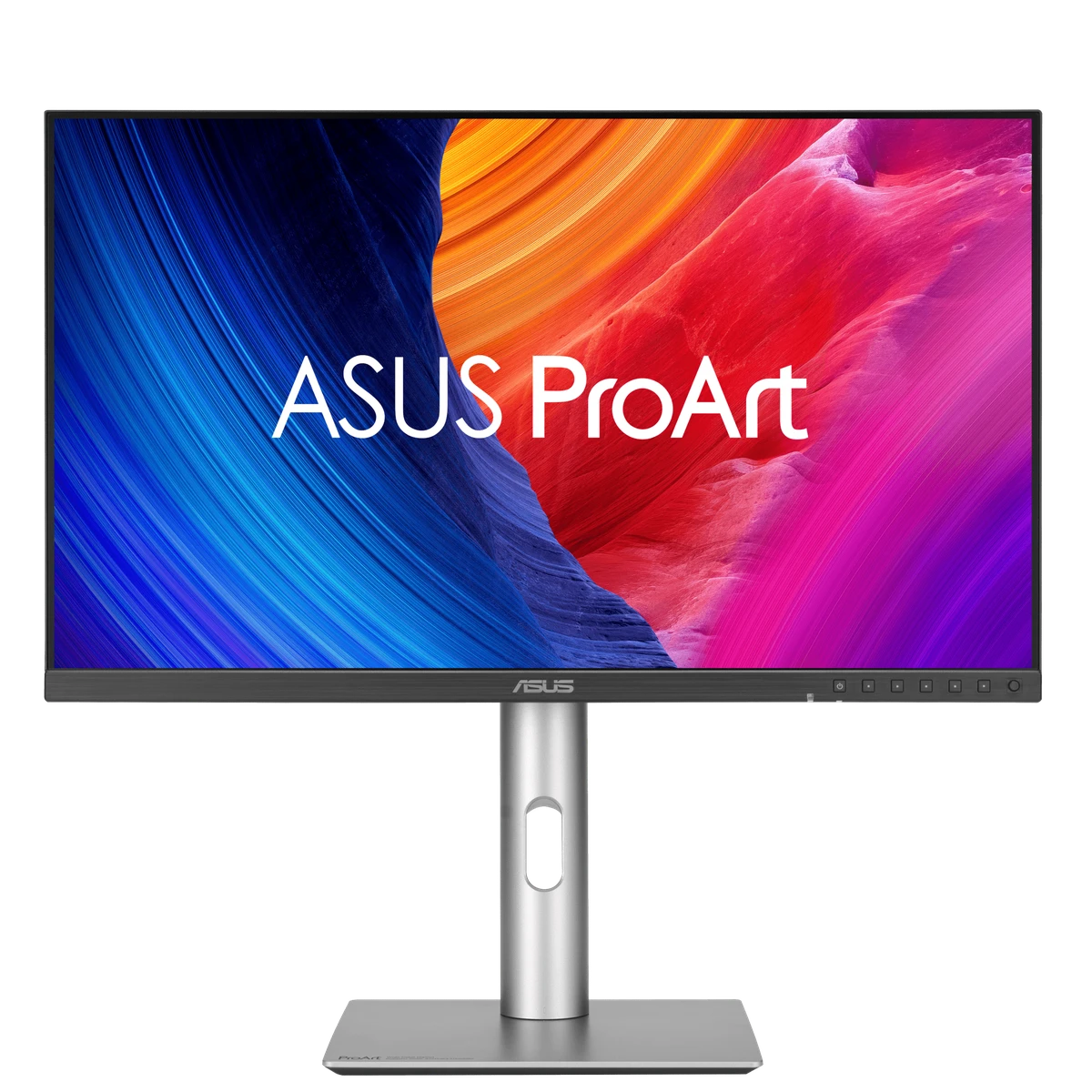
ASUS ProArt Display 5K PA27JCV

A 27-inch 5K ProArt IPS monitor built around sharp text, color-managed creator work, USB-C power and KVM convenience.

Size
27"
Resolution
5120x2880
Panel
IPS
Refresh
60Hz
USB-C 96WKVM
Piqelo Score85/100Our overall product assessment
Search Score76/100Match to your preferences

Match estimate · research ongoing

How these scores work

The Piqelo Score is our published assessment of this exact product, including value. Your search does not change it. The Search Score uses the underlying research, your preferences and comparison with similarly priced products. Value is counted once; budget and required features are hard limits.

Product score published: 2026-10-08.

The match remains an estimate while supporting research is checked. It is not a new final product score.

Price comparison: $519.66 to $866.10 (±25% of this product’s price). Comparable evidence is limited.

ASUS ProArt Display 5K PA27JCV
Decision snapshot

5K creator value

Best for: 27-inch high-DPI creator and Mac workflows without Apple-only integration

Think twice if: You prioritize high-refresh gaming or deep HDR blacks

OfficeCreatorMac / USB-CMixed use
Plus points
  • 5K at 27 inches delivers very high pixel density
  • Factory-calibrated ProArt modes suit photo and design work
  • 96W USB-C and Auto KVM support modern laptop desks
Keep in mind
  • 60Hz limits fast-motion and gaming smoothness
  • IPS black depth is limited compared with OLED and Mini-LED
  • Creator features cost more than general-purpose 4K IPS models
At a glance

Pros and cons

The main reasons to choose it, and the compromises to weigh up.

What we like

  • 5K at 27 inches delivers very high pixel density
  • Factory-calibrated ProArt modes suit photo and design work
  • 96W USB-C and Auto KVM support modern laptop desks

Keep in mind

  • 60Hz limits fast-motion and gaming smoothness
  • IPS black depth is limited compared with OLED and Mini-LED
  • Creator features cost more than general-purpose 4K IPS models
Test results

Image quality, explained

Selected independent measurements, with what they mean in everyday use. Picture mode and test method matter; these results are not additional Piqelo scores.

Everyday brightness

Higher = brighter
SDR brightness
584.6 nits100% window · OSD brightness 100%
SDR brightness
22.7 nitsOSD brightness 0%

SDR is everyday desktop content. More brightness can help in a lit room; reflections and the size of the bright area still matter.

Black depth & contrast

Higher = more contrast
Contrast
1,530:1OSD brightness 100%

The ratio describes the gap between bright white and dark black. Local dimming and the test pattern can change it substantially.

Color accuracy

Lower ΔE = less error
Average color error · ΔE 2000
≈0.7DCI-P3 emulation, 6500K target
ColorChecker error · ΔE 2000
0.32Calman calibrated
Saturation error · ΔE 2000
3.44factory native, sRGB target

Delta E measures the difference from the target color or gray. A calibrated result describes that setup; it does not establish factory accuracy.

No independent measured result in this profile yet for hdr highlights, color range, motion & delay, screen consistency.

Explore all findings, test settings and sources
Owner experience · exact model
4.5/559 Best Buy reviews · 90% recommend

What owners mention most

Color accuracyConnectivityPort count

Repeated cautions

Speaker quality60Hz refresh

Open exact-model owner reviews →

Close alternatives

When another monitor makes more sense

Piqelo does not force one universal winner. These are the closest researched alternatives when your priorities shift.

Research & detailsSources, measurements and full specificationsHide details
Decision confidence

How stable is this recommendation?

Confidence and evidence maturity stay separate from product fit and commerce.

Recommendation stabilityHighMultiple independent sources support a high-confidence exact-model profile.
Owner evidence4.5/5Exact-model owner signal is kept separate from expert testing.
Current buying routes5Commerce never changes the recommendation order.
Product views
ASUS ProArt Display 5K PA27JCV
Key specifications

The attributes that change the decision

Specs are kept separate from judgment so a fast number does not hide a practical trade-off.

Screen27"
Resolution5120x2880
PanelIPS
Refresh60Hz
Response5 ms GTG
HDMI 2.1No
USB-C power96W
KVMYes
Transparent research

Sources behind this profile

Independent expert testing, exact-model owner signals and manufacturer specifications are visibly separated. Piqelo never counts itself as product evidence.

Manufacturer specification sourceASUS evidence for ASUS ProArt Display 5K PA27JCV.Checked 2026-09-28Open exact source →
Exact-model owner reviews · 4.5/5 · 59 reviewsExact-model owners consistently highlight color accuracy and connectivity, while speakers and 60Hz are the recurring limitations.Checked 2026-09-28Open exact source →
Independent expert sourceColorimeter testing measured 584.6 nits full-screen at maximum OSD brightness and 1,530:1 contrast. Accurate emulation and calibrated modes support creative work; native-gamut sRGB output is oversaturated.Checked 2026-09-30Open exact source →
Independent expert sourceExact-model 5K ProArt review covers crisp desktop detail, IPS image quality and useful USB-C connectivity for creative work.Checked 2026-10-07Open exact source →
Independent expert sourceRTINGS evidence for ASUS ProArt Display 5K PA27JCV.Checked 2026-09-28Open exact source →
Independent expert sourceIndependent exact-model lab review praises 5K sharpness, reference-level color accuracy, contrast and value for creative work, while noting the 60Hz ceiling, lack of zone dimming and some HDR tracking limitations.Checked 2026-10-07Open exact source →
Independent expert sourceOriginal 27-inch PA27JCV review focuses on 5K detail, creator use and desk connectivity. Distinct from 32-inch PA32QCV.Checked 2026-09-30Open exact source →

Exact-model findings and measurements

Supported finding · sdr image

KitGuru measured 584.6 cd/m² full-screen at 100% OSD brightness with 1,530:1 contrast. At the minimum brightness setting it measured 22.7 cd/m² and 1,508:1 contrast.

SDR brightness
584.6 nits100% window · OSD brightness 100%
Contrast
1,530:1OSD brightness 100%
SDR brightness
22.7 nitsOSD brightness 0%
KitGuru Open exact source →
Supported finding · color accuracy

In DCI-P3 emulation after setting a 6500K target, mean color error was about 0.7 dE2000. Full Calman calibration yielded mean ColorChecker error 0.32. Factory-native sRGB saturation error was 3.44; these configurations must remain separate.

Average color error · ΔE 2000
≈0.7DCI-P3 emulation, 6500K target
ColorChecker error · ΔE 2000
0.32Calman calibrated
Saturation error · ΔE 2000
3.44factory native, sRGB target
KitGuru Open exact source →
Supported finding · dark room

Native static contrast was 1,579.5:1; dynamic dimming extended contrast to 5,234.6:1.

Contrast
1,579.5:1Native static
dynamic contrast ratio
5,234.6:1Dynamic dimming

One independently tested sample; lab settings and methods affect results.

Tom's Hardware Open exact source →
Supported finding · color

The labelled lab table reports grayscale error, gamma, gamut error and gamut volume for Native Display P3 / sRGB.

Grayscale error · ΔE
1.44 DeltaENative Display P3
Gamma
2.16 gammaNative Display P3
gamut delta e
1.1 DeltaENative Display P3
color gamut volume
99.48%Native Display P3 · Display P3
Grayscale error · ΔE
1.13 DeltaEsRGB
Gamma
2.18 gammasRGB
gamut delta e
1.08 DeltaEsRGB
color gamut volume
99.63%sRGB · sRGB

Gamut volume is distinct from absolute coverage; grayscale error is distinct from color error.

Tom's Hardware Open exact source →
Supported finding · color

The labelled lab table reports grayscale error, gamma, gamut error and gamut volume for Adobe RGB / DCI-P3 Cinema.

Grayscale error · ΔE
1 DeltaEAdobe RGB
Gamma
2.18 gammaAdobe RGB
gamut delta e
1.27 DeltaEAdobe RGB
color gamut volume
89.38%Adobe RGB · Adobe RGB
Grayscale error · ΔE
1.13 DeltaEDCI-P3 Cinema
Gamma
2.55 gammaDCI-P3 Cinema
gamut delta e
0.89 DeltaEDCI-P3 Cinema
color gamut volume
98.61%DCI-P3 Cinema · DCI-P3

Gamut volume is distinct from absolute coverage; grayscale error is distinct from color error.

Tom's Hardware Open exact source →
Supported finding · color

The labelled lab table reports grayscale error, gamma, gamut error and gamut volume for Rec.709 / BT.2020.

Grayscale error · ΔE
1.16 DeltaERec.709
Gamma
2.37 gammaRec.709
gamut delta e
1.94 DeltaERec.709
color gamut volume
99.68%Rec.709 · Rec.709
Grayscale error · ΔE
1.13 DeltaEBT.2020
Gamma
2.37 gammaBT.2020
gamut delta e
1.94 DeltaEBT.2020
color gamut volume
74.09%BT.2020 · BT.2020

Gamut volume is distinct from absolute coverage; grayscale error is distinct from color error.

Tom's Hardware Open exact source →
Supported finding · color

PCWorld measured 100% sRGB, 100% DCI-P3, 91% Adobe RGB gamut coverage.

color gamut coverage
100%Tested native mode · sRGB
color gamut coverage
100%Tested native mode · DCI-P3
color gamut coverage
91%Tested native mode · Adobe RGB

Coverage is distinct from gamut volume and does not establish color accuracy.

PCWorld Open exact source →

Next steps

Put this monitor in context

Trust & transparencyIndependent by design.

Some retailer links may be affiliate links. Commercial relationships never buy a score, recommendation, award or retailer order. As an Amazon Associate I earn from qualifying purchases.